
Official Driver Mode Android App

Real-Time School Bus GPS With Zero Hardware Costs

The MyEduNest Driver App turns any smartphone into an intelligent live GPS beacon. Van drivers simply tap "Start Trip", broadcasting real-time bus location, speed, and automated arrival alerts directly to parents and school principals.

Zero Extra Hardware 1-Tap Start / End Trip 2-Stop Proximity Alerts Lightweight & Battery Smart
MyEduNest Driver Mode
Live Broadcast Active • Route #4
LIVE SPEED 34 km/h Safe driving range
NEXT STOP Model Town Chowk ETA: 4 Minutes (2 stops ahead)
PARENTS NOTIFIED 32 Families Proximity alerts dispatched
STATUS Trip in Progress Morning Pickup Shift
Cost & Operational Efficiency

Why Schools Are Switching to MyEduNest Driver App

Traditional hardwired GPS trackers are expensive, prone to battery drain, and break frequently. The MyEduNest smartphone driver model solves every transport challenge.

Save ₹6,000–₹8,000 Per Bus in Hardware

Traditional GPS vendors charge high upfront hardware costs plus monthly SIM subscription fees. With MyEduNest Driver App, zero hardware purchases are required.

  • Zero Installation Downtime: No mechanics or wiring required; drivers download and start immediately.
  • Swap Vehicles Effortlessly: If a van undergoes maintenance, the driver simply logs in from the replacement vehicle.
  • Included in Standard Cloud Plans: No extra charge per bus in our ₹4 to ₹10 subscription plans.
Parent Peace of Mind & Stop Arrival Alerts

Parents no longer wait outside in extreme heat, rain, or winter fog. The app automatically sends notifications when the bus is approaching their stop.

  • Automated 2-Stop Notification: Parents receive an alert when the bus is 2 stops away so their child is ready.
  • Live Interactive Map: Parents see the bus smoothly moving along the assigned route in real time.
  • 90% Fewer Inbound Phone Calls: Eliminates anxious parent phone calls to the driver or school reception desk.
Fleet Monitoring Command Center

Live Multi-Van Fleet Tracking (All Vans on One Screen)

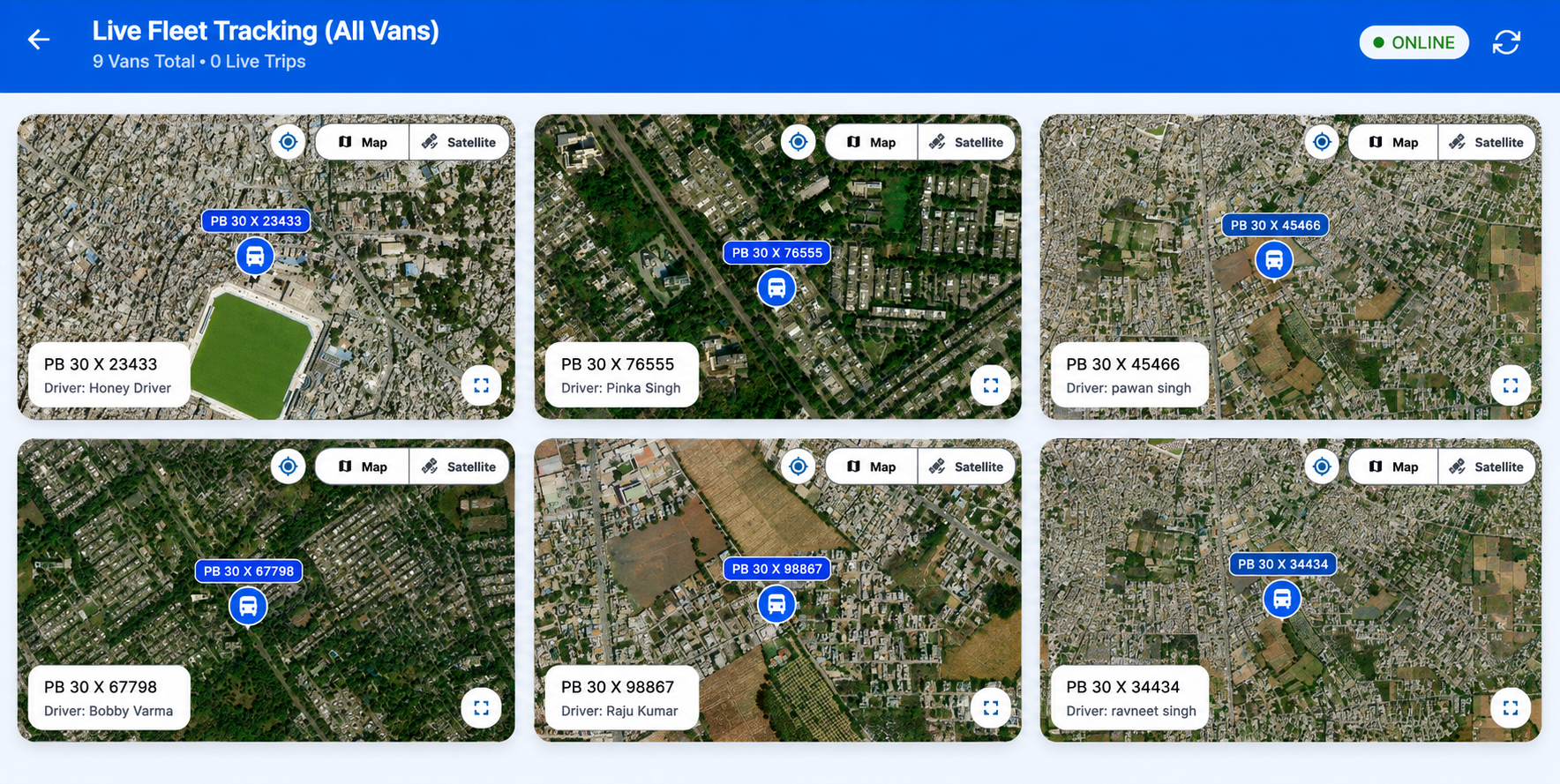
School administrators, principals, and transport managers can monitor every school bus and van moving in real time simultaneously with high-resolution satellite and street map views.

Live Fleet Tracking (All Vans at One Time)
LIVE ONLINE
Live Fleet Tracking All Vans Screen - MyEduNest
Multi-Van Live Grid Track all vans simultaneously
Satellite & Street Map High-precision satellite view
Driver & Vehicle Tagging Driver name & vehicle reg no
Engineered for Drivers

Built Specifically for Simplicity & Road Safety

We designed the driver application with extra-large touch targets, high contrast, and simplified flows so drivers can focus 100% on safe driving.

1-Tap Start / End Trip

Drivers select their assigned morning or evening route and tap "Start Trip". The app handles all background location transmission automatically.

Battery & Low-Data Optimized

Engineered with smart GPS polling intervals that conserve smartphone battery life and consume minimal 2G/3G/4G cellular data throughout long routes.

Over-Speeding Safety Alerts

The system monitors live vehicle speed and automatically alerts school transport administrators if a vehicle exceeds safe campus speed thresholds.

Student Stop Roll-Check

Bus conductors can view student lists per stop, checking off boarding and deboarding to guarantee no student is left behind at any bus stop.

1-Touch Emergency Contact

Drivers have instant direct contact buttons to the school transport manager and emergency helpline in case of vehicle breakdown or road delays.

Multi-Bus Fleet Dashboard

School principals and clerks see all school vans moving simultaneously on a single unified live map on the Windows PC software.

Effortless Setup

How Drivers Get Started in Under 2 Minutes

Simple 3-step process requiring zero technical expertise.

1

Download App

Driver installs the official MyEduNest Driver app directly from the Google Play Store on their Android smartphone.

2

Login via Phone & OTP

Driver enters their mobile number and logs in with an instant OTP. The school admin assigns the vehicle route with 1 click.

3

Tap "Start Trip"

Driver taps "Start Trip" when leaving the campus. The app handles all GPS broadcasting and stops automatically.

4

Tap "End Trip"

Upon completing the route, driver taps "End Trip". Live tracking ceases immediately to safeguard driver privacy.

Download Official App

Get the MyEduNest Driver App on Google Play

Experience zero-hardware school bus GPS tracking today. Available for all MyEduNest partner schools.